
Pads
Play any key, in real time
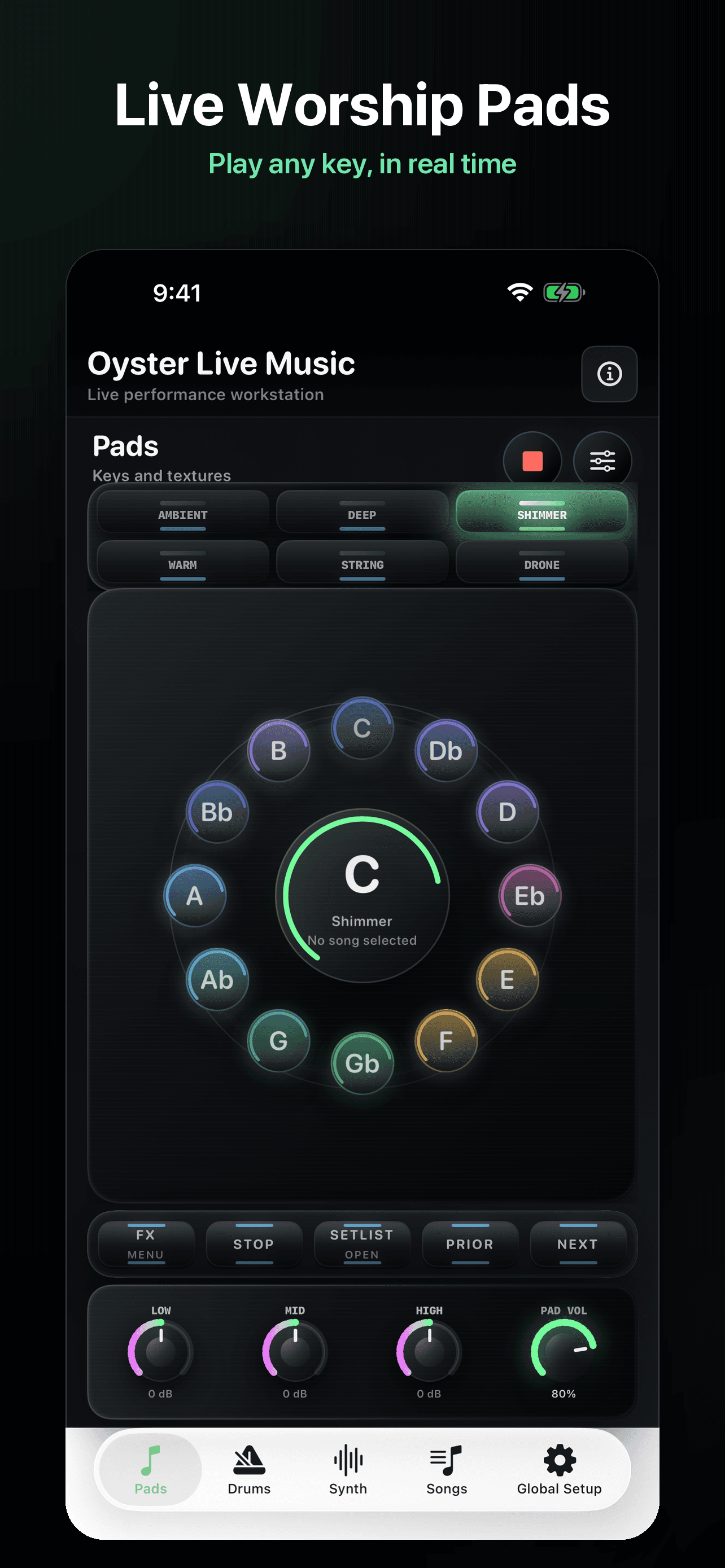
The pad engine stays immediate: choose a texture, tap a key, and give the room a smooth musical bed.
6 textures · 12 keys · live pad volumeA complete live performance workstation for iPhone.
Play worship pads, add organic drums, layer atmospheric synths, save complete song rigs, and control the room from one stage-ready app.

Pads, drums, synth, song rigs, and levels stay under your thumb.
The new app experience brings the core tools musicians ask for most: atmosphere, pulse, texture, saved rigs, and a global mix that is easy to trust on stage.
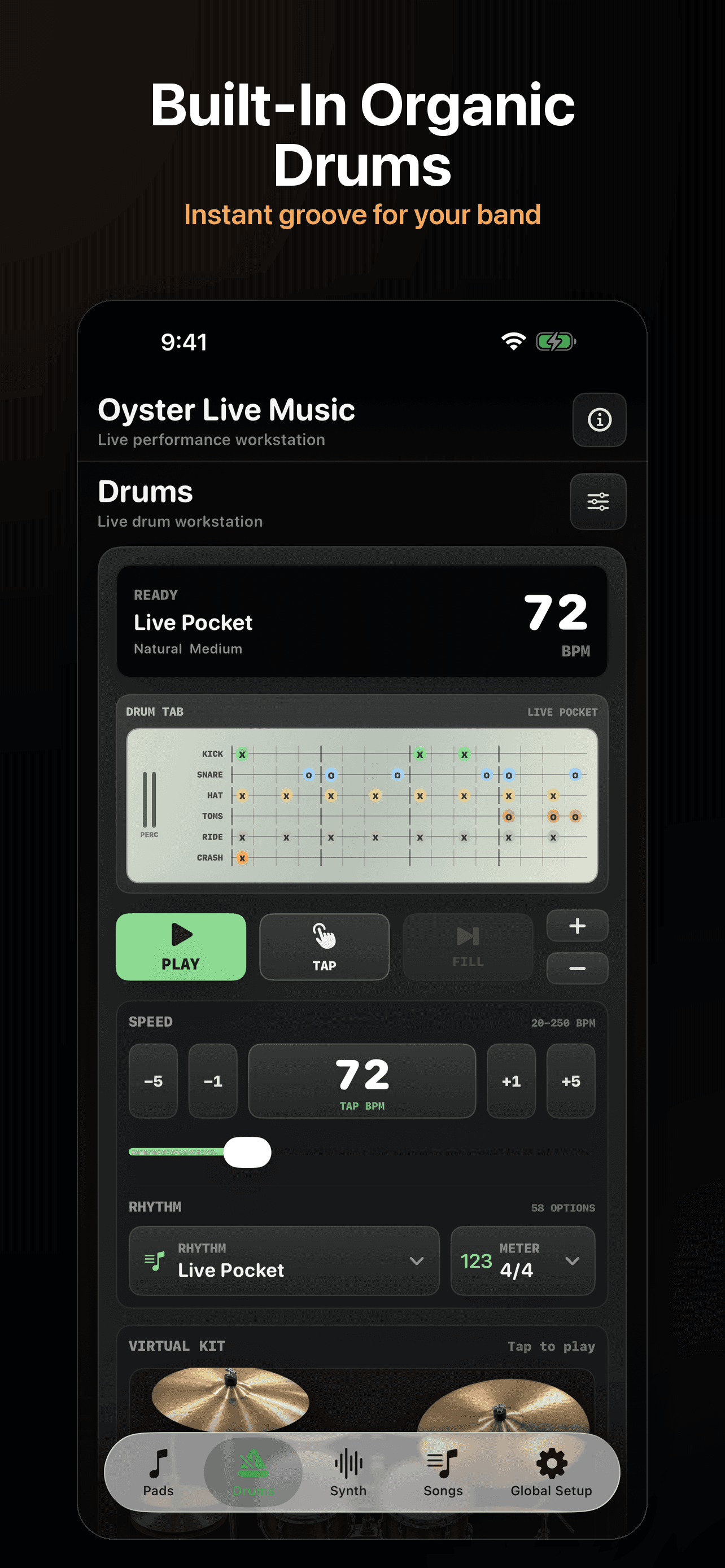
Give acoustic sets and rehearsals an instant groove with tap tempo, BPM nudges, fills, and pattern selection.
The pad engine stays immediate: choose a texture, tap a key, and give the room a smooth musical bed.
6 textures · 12 keys · live pad volume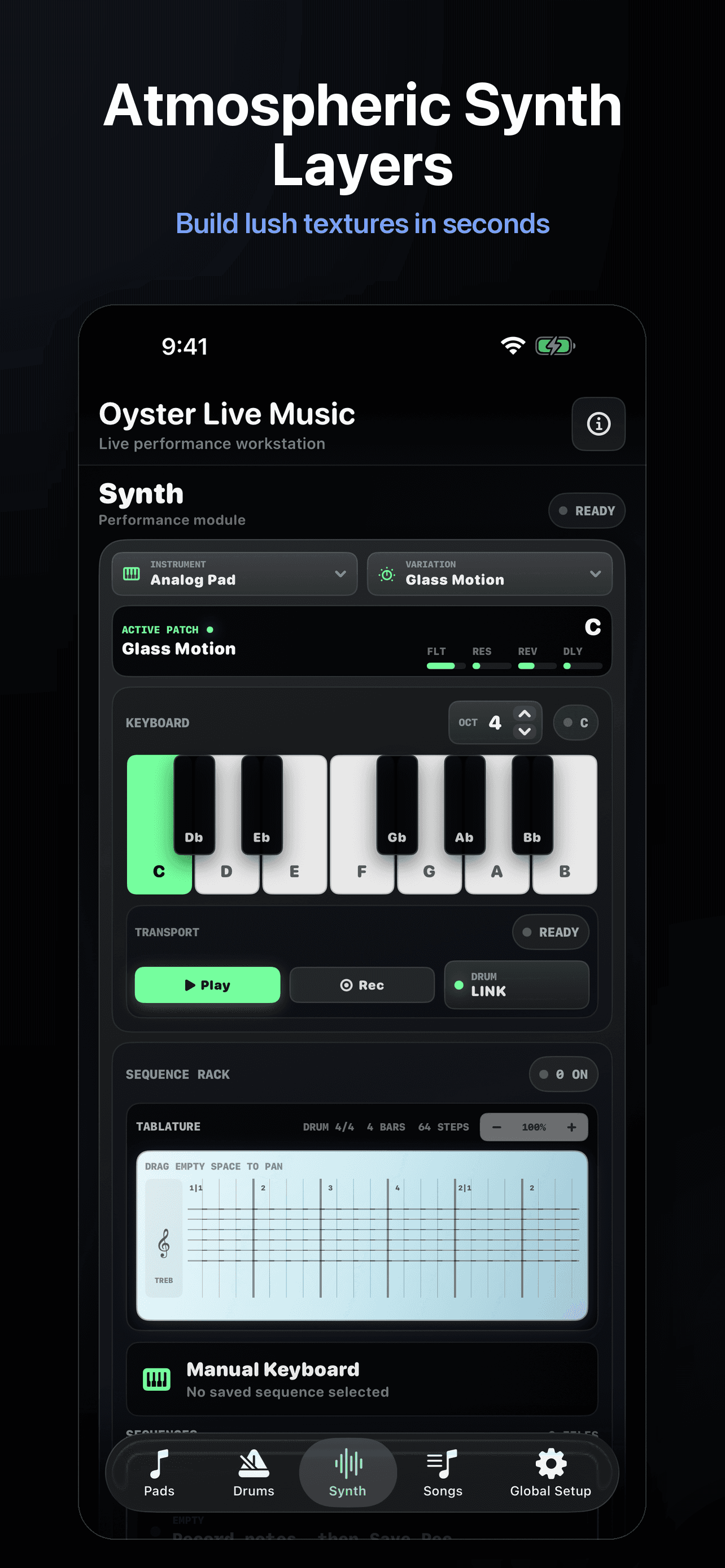
Add lush keyboard support without opening another app. Select instruments, variations, and a playable key range fast.
Manual keyboard · drum link · sequence rack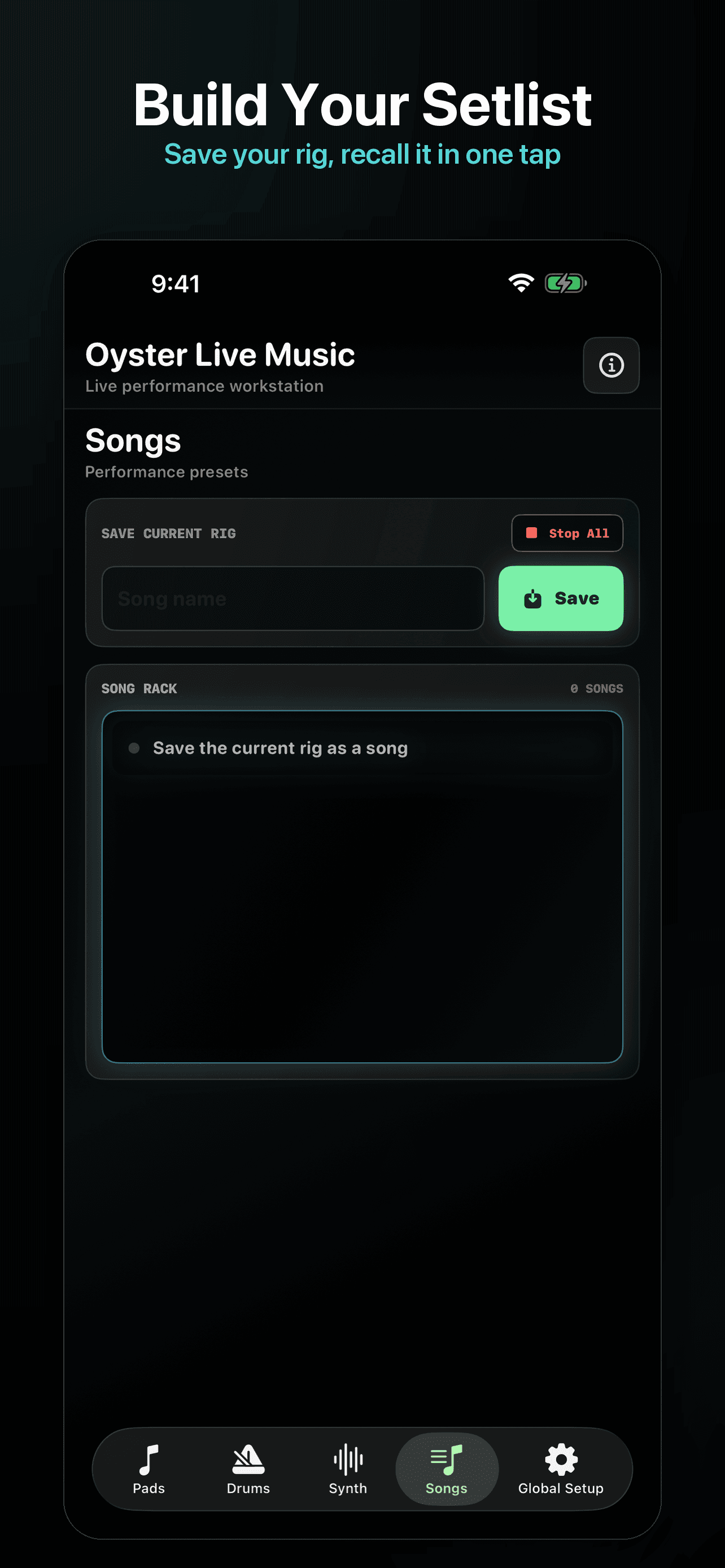
Store the setup for each song so the sound you rehearsed is ready when the next moment starts.
Song presets · quick recall · stop all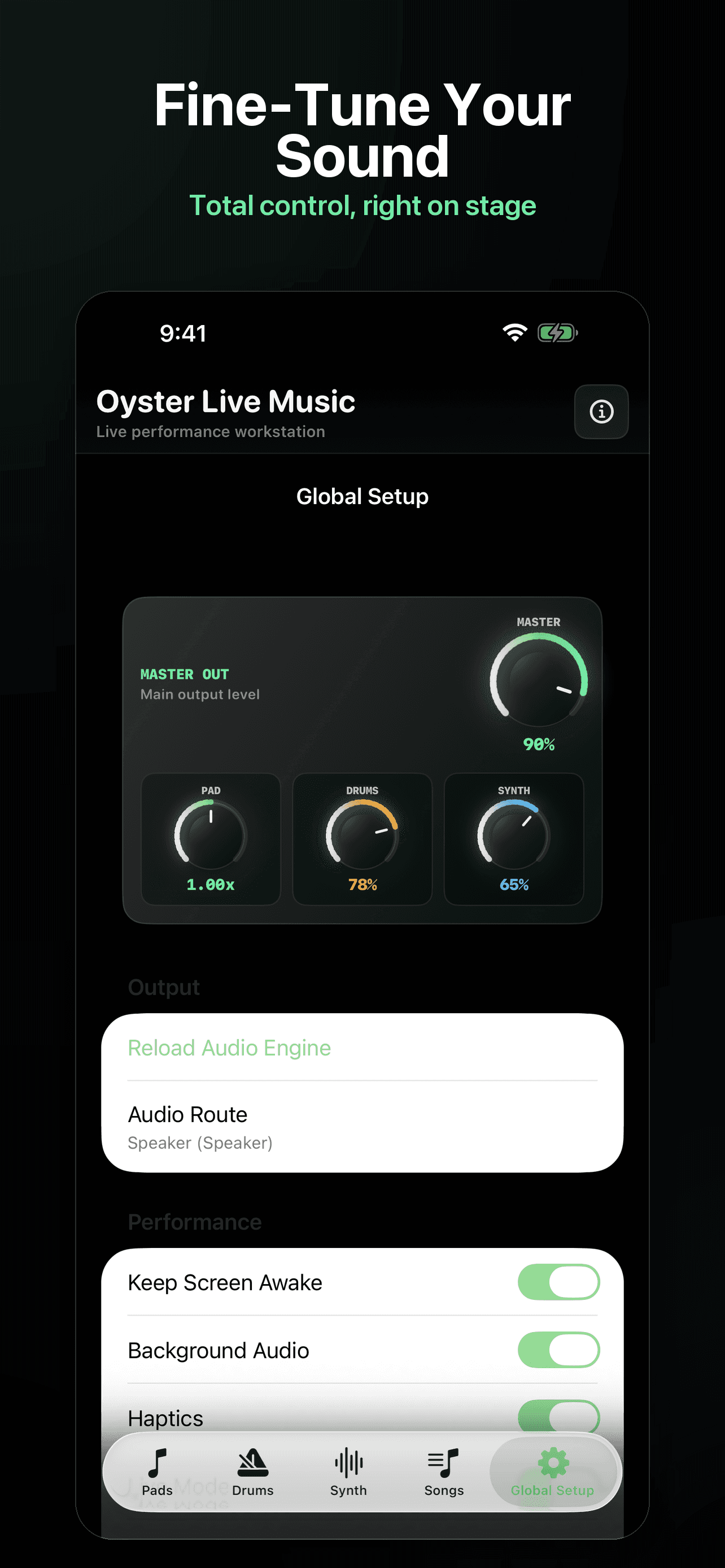
Balance master output, pads, drums, and synth from one setup screen with live-friendly performance switches.
Master out · audio route · background audioOyster Live Music has grown from ambient pads into a compact performance workstation for musicians who need atmosphere, pulse, texture, and recall without adding more gear.
Play any key in real time with polished pad textures for worship sets, prayer, and transitions.
Add an instant groove for your band with tap tempo, BPM controls, fills, and live-ready patterns.
Build lush keyboard textures in seconds with instruments, variations, transport, and drum link.
Store the current pad, drum, synth, levels, and setup as a song preset you can recall in one tap.
Balance master output, pad, drums, synth, audio route, background audio, haptics, and screen awake.
Large controls, dark stage UI, clear states, and fast decisions when the lights are low.
The pad engine is still the foundation: choose a texture, pick a key, and keep the atmosphere moving while drums and synth add shape.
Soft, neutral background pad. Effortless space.
Fuller and gentle texture. Living-room intimacy.
Darker low atmosphere. Reverent, anchored.
Emotional orchestral layer. Cinematic lift.
Bright, spacious texture. Open, airy lift.
Stable foundation. The room's heartbeat.
Songs are no longer just names in a list. They become performance presets, so the sound you built for each moment comes back fast when the band is ready.
Choose pad texture, key, drums, synth layer, output levels, and stage settings.
Capture the current performance setup as a named song preset.
Bring back the full sound for rehearsal, Sunday morning, or the next live night.
Step through the set while the app keeps the musical foundation ready.
The site now shows the same control areas found in Oyster Live Music: master output, module levels, audio route, and performance toggles.
Master Out sits above Pad, Drums, and Synth levels, followed by real app controls for output and performance behavior.
Everything you might want to know before you download.
Oyster Live Music is an iPhone performance app for pads, organic drums, synth layers, song rigs, and global stage controls. It is built for worship sets, live performance, and creative scoring.
Worship leaders, music directors, keyboard players, acoustic-only setups, and anyone who wants a polished live foundation without hauling extra gear.
Yes. Build sounds ahead of time, save them as song rigs, and move through the set with the musical foundation already prepared.
Yes. Save songs as presets for your live setup, including the musical choices you need to recall quickly for Sunday morning, midweek, retreats, or rehearsals.
Yes. Oyster Live Music uses GarageBand-style crossfades when you change keys, styles, or songs. There are no clicks, pops, or awkward silences - just one continuous, breathing atmosphere.
Yes. Oyster Live Music is available now on the Apple App Store for iPhone. Use the download button or scan the QR code at the top of this page.